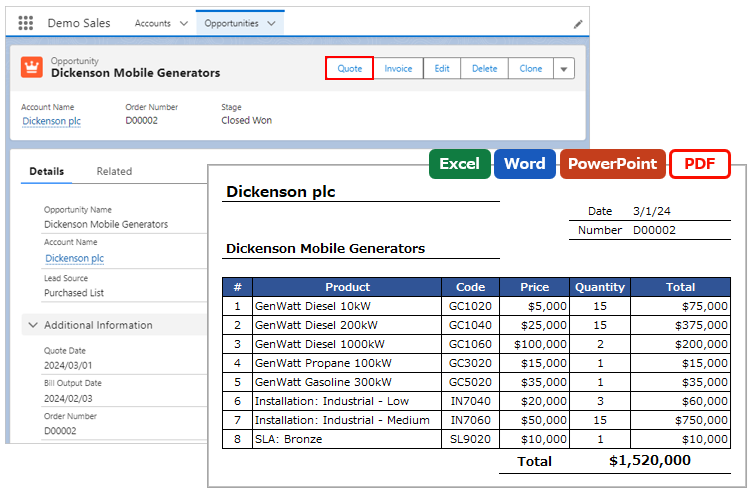
Output child records of the same object in separate tables for each filter criteria.
*This feature is available in Office File Creator Pro.
Overview
Examples of Use
- Output cases related to the Account record in separate tables for open and closed statuses.
Required settings
- Merge Fields Settings
- OFC_Child Object Option Record Settings
Determine Child Relationship Name
Determine the child relationship name used to link the merge fields to the OFC_Child Object Option record.
Naming Rules for Child Relationship Name
Only alphanumeric characters and underscores are allowed, beginning with the Roman alphabet.
Examples of child relationship names
Cases_Open
Cases_Closed
Merge Fields Settings
Set the merge field in the template file in the form of {!Child Relationship Name.Field API Name}.
e.g. Output child record cases in two tables
Table 1: {!Cases_Open.CaseNumber}
Table 2: {!Cases_Closed.CaseNumber}
OFC_Child Object Option Record Settings
Create as many OFC_Child Object Option records as the number of tables you want to separate by filter criteria.
Reference: Create OFC_Child Object Option Record
Information
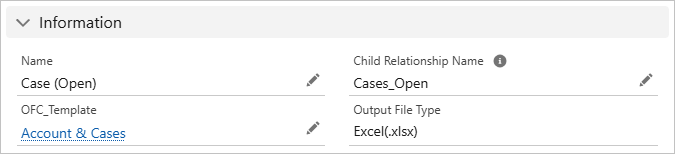
Name: Enter any name. e.g. Case (Open)
Child Relationship Name: Enter the child relationship name. e.g. Cases_Open
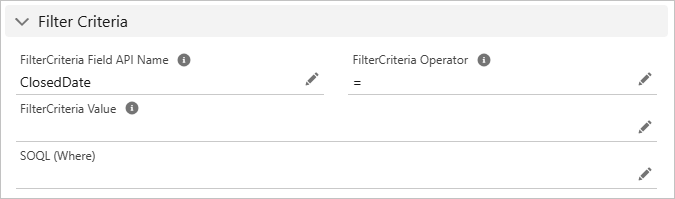
Filter Criteria
Filter Criteria Field API Name: Enter the field API name for filtering child records. e.g. ClosedDate
Filter Criteria Operator: Select the operator for filtering child records.
Filter Criteria Value: Enter the value for filtering child records.
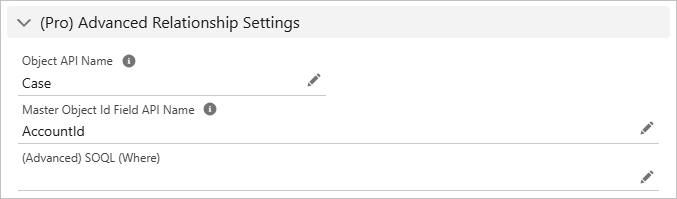
(Pro) Advanced Relationship Settings
Object API Name: Enter the object API name of the child object. *Not a child relationship name.
Master Object Id Field API Name: Enter the cross-object formula that references the master object Id.
Reference
Output different layouts for open and closed cases