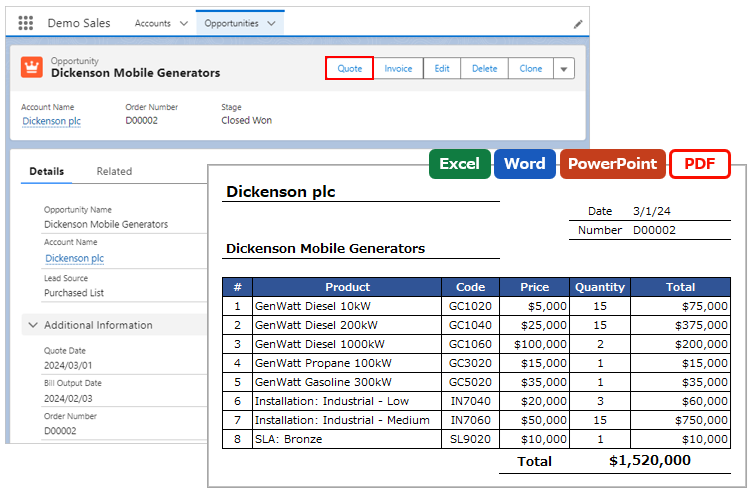
List of functions available for merge fields in Office File Creator.
Common
| Function | Description | Merge Field | OFC Version |
| Today | Output today's date. | {!Today()} | Ver.2 |
| Now | Output the current date and time. | {!Now()} | Ver.2 |
| Pagenumber | Output page numbers of PDF. | {!pagenumber()} | All Versions |
| Pagecount | Output the total number of pages of PDF. | {!pagecount()} | All Versions |
| ToLabel | Output the display label name of picklists and Record Types. Or output the translated value. | {!Object API Name.ToLabel(Field API Name)} | Ver.2 |
*ToLabel Function
The ToLabel function uses the toLabel function of the SELECT function when retrieving records by SOQL. The same merge fields cannot be retrieved with and without SOQL functions at the same time.
Reference: toLabel(fields)
Functions for Child Records
Merge Fields Format: {!Child Relationship Name.Function()}
| Function | Description | Example of Merge Field | OFC Version |
| Number | Output sequential numbers in the child record output line. | {!Number()}
{!OpportunityLineItems.Number()} |
All Versions |
| Blank | Output blanks. Used to adjust block rows in child records. | {!OpportunityLineItems.Blank()} | Ver.2 |
Aggregate Functions
Merge Fields Format: {!Child Relationship Name.Function(Field API Name)}
| Function | Description | Example of Merge Field | OFC Version |
| Sum | Returns the total sum of a numeric field. | {!OpportunityLineItems.Sum(TotalPrice)} | Ver.2 |
| Count | Returns the number of records. | {!OpportunityLineItems.Count(Id)} | Ver.2 |
| Avg | Returns the average value of a field. | {!OpportunityLineItems.Avg(TotalPrice)} | Ver.2 |
| Min | Returns the minimum value of a field. | {!OpportunityLineItems.Min(TotalPrice)} | Ver.2 |
| Max | Returns the maximum value of a field. | {!OpportunityLineItems.Max(TotalPrice)} | Ver.2 |
Memo
- If the group field is a formula field, the aggregate function cannot be used.
- Aggregate functions can only be used for child objects for which grouping has been set in the OFC_Child Object Option record.