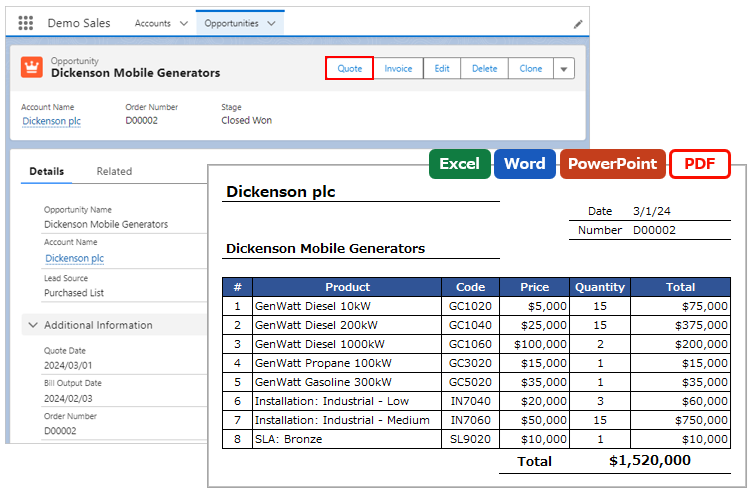
Output reference object (parent) fields by using cross-object formulas for merge fields. The maximum hierarchy is 5 levels.
*This feature is available in Office File Creator Ver. 2. In Ver. 1, create a cross-object formula field in the target object and set the created field as the merge field.
About Cross-Object Formulas
A cross-object formula is a formula that displays the fields of the referenced object when the object has lookup fields.
For cross-object formulas, see the Salesforce Help.
What Is a Cross-Object Formula?
Merge Fields Settings
Cross-Object Formula Format
- A cross-object formula is "referenced field name.referenced object field name".
- Connect the reference fields with "." from child to parent, tracing upward.
- If the reference field is a standard field, it is traced up excluding the Id at the end of the reference field name.
- If the reference field is a custom field, change "__c" at the end of the reference field name to "__r" and trace up.
- In Office File Creator, up to 5 levels higher object fields can be used for merge fields.
The format of the merge field is as follows.
{!Object API Name.Cross-object formula}
Example: Reference field is a standard field
{!Opportunity.Account.BillingState}
Example: Reference field is a custom field
{!Opportunity.Account__r.BillingState}
Available Fields When the Owner Field Refers to User and Queue
If the owner field references more than one object, such as User and Queue — as in the Case object — some fields are available in the cross-object formula.
List of Available Owner Fields (for objects that reference Users and Queues)
| Field Name | Cross-Object Formula | Example of Merge Field |
| Id | Owner.Id | {!Case.Owner.Id} |
| Name | Owner.Name | {!Case.Owner.Name} |
| Owner.Email | {!Case.Owner.Email} | |
| Username | Owner.Username | {!Case.Owner.Username} |
| LastName | Owner.LastName | {!Case.Owner.LastName} |
| FirstName | Owner.FirstName | {!Case.Owner.FirstName} |
| Alias | Owner.Alias | {!Case.Owner.Alias} |
| Title | Owner.Title | {!Case.Owner.Title} |
| Phone | Owner.Phone | {!Case.Owner.Phone} |
| UserRoleId | Owner.UserRoleId | {!Case.Owner.UserRoleId} |
| UserType | Owner.UserType | {!Case.Owner.UserType} |
| ProfileId | Owner.ProfileId | {!Case.Owner.ProfileId} |
| LastReferencedDate | Owner.LastReferencedDate | {!Case.Owner.LastReferencedDate} |
| LastViewedDate | Owner.LastViewedDate | {!Case.Owner.LastViewedDate} |
Reference
Use cross-object formulas to display parent/reference object fields in merge fields