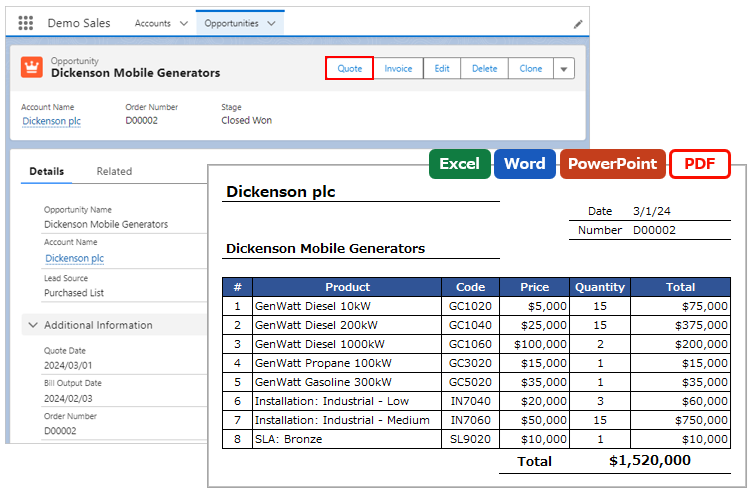
When outputting child records, sorting fields can be specified. Up to three fields can be specified per child object.
OFC_Child Object Option Record Settings
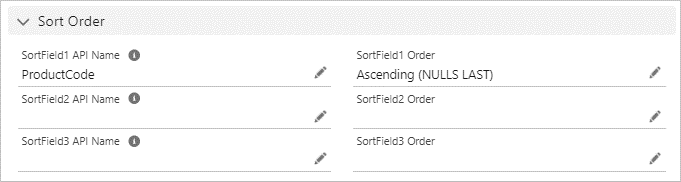
Open the OFC_Child Object Option record detail page and enter the field values in the "Sort Order" section.
Reference: Create OFC_Child Object Option Record
*For Office File Creator Ver. 1, enter the "(Optional) Child Object" section of the OFC_Template record.
Sort Field 1 API Name: Enter the field API name for sorting child records as the first priority. e.g. ProductCode
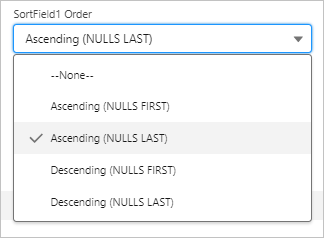
Sort Field 1 Order: Select the ascending or descending order for Sort Field 1. e.g. Ascending (NULLS LAST)
Sort Field 2 API Name: Enter the field API name for sorting child records as the second priority.
Sort Field 2 Order: Select the ascending or descending order for Sort Field 2.
Sort Field 3 API Name: Enter the field API name for sorting child records as the third priority.
Sort Field 3 Order: Select the ascending or descending order for Sort Field 3.
*About (NULLS FIRST) and (NULLS LAST)
NULLS FIRST: If the record value is blank, it is displayed first.
NULLS LAST: If the record value is blank, it is displayed last.