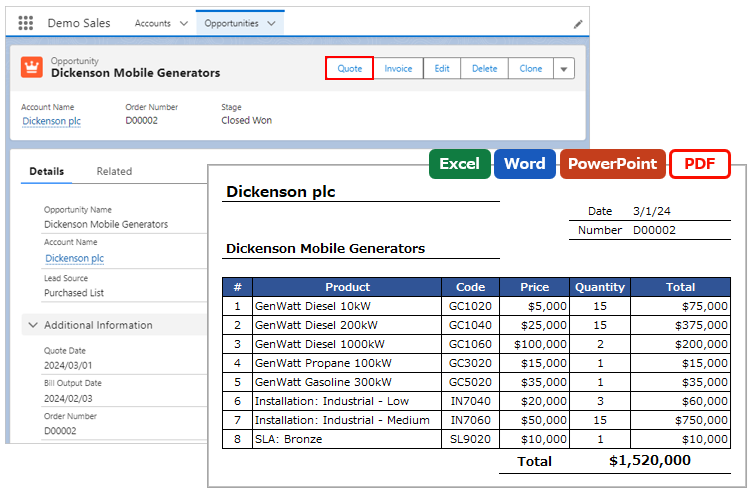
When outputting child records, specify the index number of the child record to output. It allows any layout, such as outputting multiple lines per child record and columnar output.
*This feature is available in Office File Creator Pro.
Overview
Examples of Use
- Output 3 lines per child record.
- Output child records column-wise.
- Fix the rows in the table of child records to 20 rows instead of a variable number.
Required Settings
- Merge Fields Settings
- OFC_Template Record Settings (Sort Order)
Merge Fields Settings
At the end of the merge field, specify the index number of the record, starting from 1.
Merge Fields Format
{!Child Relationship Name.Field API Name[Index Number]}
e.g. Output the first record of an Opportunity Product
{!OpportunityLineItems.Product2Id[1]}
Template File Sample
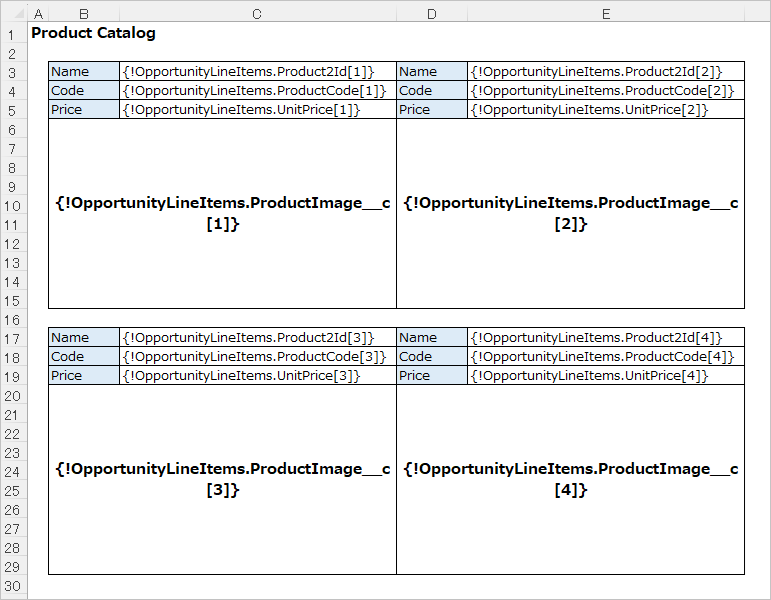
The index number is a sequential number in the order of output. Refer to Sort Output Order of Child Records for the sort order in the output.
Reference
Sort Output Order of Child Records