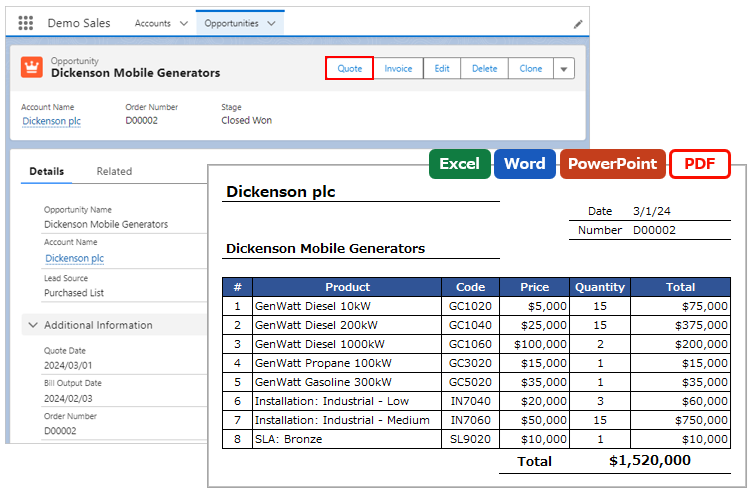
Office File Creator Instruction manual
  • Instruction manual
  • Output Options
  • Advanced Features
  • FAQ
  • Troubleshooting
  • Error
  • Instruction manual
  • Troubleshooting

How do I format a Date field? e.g., Mar. 1, 2024

Merge Field
2024.10.312026.09.19


Formatting can be set for merge fields whose data type is Date or Date/Time. The formatting is set by separating the field name with a comma. Available in Ver. 2.0 or later.


e.g. {!Case.TestDate__c, MMM. d, yyyy}

Result: Mar. 1, 2024


*In Excel, merge fields cannot be formatted. Set the format from "Format Cells".


Instruction manual

Formatting of Date and Date/Time Fields


Merge Field
Date and Date/Time Fields
Office File Creator Instruction manual

Related articles

Merge Field

How do I output today's date and current time?

Today's date and current time can be output. Use the Today() and Now() functions for merge fields. Available in Ver. 2.0...
File Output Error

The date "2024/12/31" for the filter criteria for child records results in an error.

Enter the format "YYYY-MM-DD" for the date field value. e.g., 2024-12-31Instruction manualFilter Output Conditions for C...
  • Instruction manual
  • FAQ
    • Features
    • Merge Field
    • Child Object
    • Images
    • Template
    • Operating Environment
    • Limitations
    • Introduction
    • Purchase
    • Subscription
    • Billing
    • License Change
    • Support
  • Troubleshooting
    • Merge Field
    • File Output Error
    • Permission
    • Install
    • Excel
    • Word
    • PowerPoint
    • PDF
    • Screen Flow
    • Record-Trigger Flow
  • Error

Office File Creator Product Page

AppExchange

Office File Creator Instruction manual
  • Privacy Policy
© 2022-2026 Generipse LLC.
    • Instruction manual
    • Output Options
    • Advanced Features
    • FAQ
    • Troubleshooting
    • Error
  • Home
  • Top